Alienware Explained: Should you go ultrawide?
Alienware offers a wide (so to speak) range of monitors in various resolutions and formats. But there’s one specification that is readily apparent at a glance: the aspect ratio, specifically 16:9 standard vs. 21:9 ultrawide.
First, what do we mean by aspect ratio, what are the benefits of the different formats, and which one is right for you?
TL;DR:
- Standard aspect ratios give you high compatibility with virtually all modern games and media.
- Ultrawide aspect ratios are generally more immersive than standard, but not all games and media are natively compatible, sometimes resulting in black bars.
- Standard and ultrawide monitors are both viable options: when choosing between them, consider the kinds of games and media you consume.
A quick overview of aspect ratios
The aspect ratio is simply the ratio of the width of a screen vs. the height of the screen. A screen with an aspect ratio of 16:9 is 16 units high and 9 units across; a 21:9 screen is 21 high and 9 across. You can guess how this formula works with a 16:10 WUXGA or a super ultrawide 32:9.
A typical TV today is 16:9, the most popular aspect ratio. Because it’s the most widely used format, it has the greatest compatibility with all kinds of content, whether games, movies, or other media.
Weighing the benefits of ultrawide
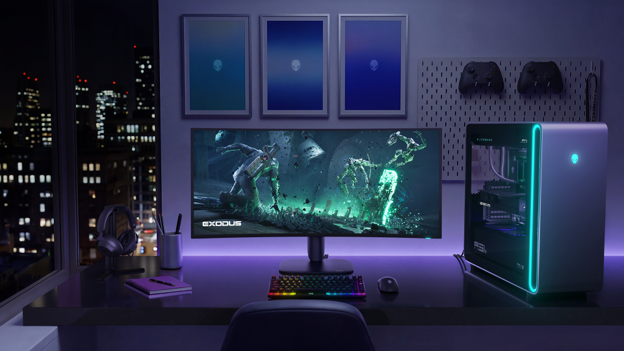
As the name implies, ultrawide is…wider. These displays stretch the horizontal real estate of a 16:9 aspect ratio by nearly a third, in effect capturing more of the player’s peripheral vision than a 16:9 monitor of the same height.
That’s the main benefit here: immersion. If the games you play feature sprawling landscapes, and you want a display that will do a good job of placing you in a virtual world, ultrawide may be the way to go. Games like Destiny, Cyberpunk, Red Dead Redemption 2, Clair Obscur: Expedition 33, and Doom: The Dark Ages place heavy emphasis on drawing players into their environments. All these games are ultrawide compatible and are great games for the 21:9 format.
But you do miss out on the complete out-of-box compatibility of a 16:9 display. If a game or piece of media does not support ultrawide, it will display as 16:9, leaving wide black bars on either side of the image, or stretch the image width-wise to fill the whole viewing area.
While an increasing number games do natively support ultrawide aspect ratios, there are notable exceptions that do not, including some online competitive games and occasional single-player games. Some games might be mostly compatible with ultrawide, but then for example, cut scenes may add black bars.
Ultrawide aspect ratio may be the choice if you:
- Prioritize visual immersion over all else
- Play a lot of single-player or non-competitive games
- Don’t mind black bars with console games and other 16:9-only games
- Are comfortable with minor software modding for non-ultrawide-native games
If you use your ultrawide gaming monitor with your game console, you will experience black bars because console games are made for your 16:9 television set – right now there is no ultrawide option on console games.
Fortunately, the internet is full of community-made mods that are relatively easy to implement for PC games, typically just taking a couple minutes, that enable ultrawide capabilities in games that do not include it natively. And again, most modern games will include native ultrawide options.
Weighing the benefits of 16:9
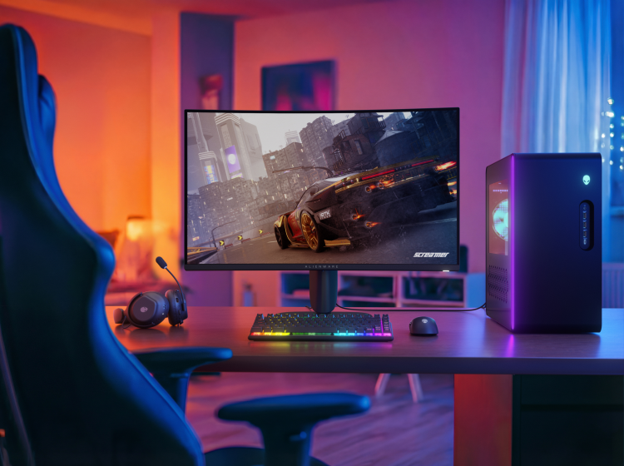
The major advantage of 16:9 when gaming is compatibility. Virtually every modern game natively supports this aspect ratio, so games will typically use the entire screen space. Whether playing on PC or console, you won’t need to worry about black vertical bars on either side because a game doesn’t support the aspect ratio (unless you’re playing classic console games, which typically adopt the 4:3 aspect ratio of ancient CRT TVs).
Standard aspect ratio may be the choice if you:
- Play a lot of online competitive games
- Play console games on your monitor
- Don’t want to mess with minor modding of games
- Prefer virtually 100% compatibility with all games out-of-the-box
Choose whichever format fits your playstyle
While Alienware’s current monitors lineup is only made up of 16:9 and 21:9 aspect ratios, we do offer them in a wide range of sizes and specs. Our laptop line also offers 16:10 – a great option for a portable screen that give viewers more vertical viewing space.
When choosing a monitor’s aspect ratio, think about the kinds of games you play, the size of your desk space, and your preference between the immersion factor and across-the-board out-of-the-box compatibility.


Meccha Chameleon: the hit game with zero marketing
The hide-and-seek masterpiece putting the fine art in friendslop…

Alienware and Pascal Siakam Bring Gaming Access to PS43 Foundation Youth
Pascal Siakam and PS43 Foundation Youth Compete in EA SPORTS FC 26 1v1 Matches

Time-travel RPG Reverse: 1999’s 3rd Anniversary update launches August 13 with Version 3.7 “On Another’s Sorrow”
Three new characters, abundant rewards, and massive new gameplay updates coming soon

Next Fest Review: Mistfall Hunters
The extraction genre is picking up in popularity. Can Mistfall Hunters make its mark?

Alienware Takes On Ludwig’s Streamer Games 2026
Alienware is an official partner of Ludwig’s Streamer Games 2026

Season Zero Has Begun: Introducing the Alienware Arena Battle Pass
A new way to earn rewards has arrived on Alienware Arena. The Battle Pass is a seasonal progression system that rewards you for being an active member of the community. Earn ARP, unlock milestones, collect Battle Tokens, and redeem rewards throughout each season.